Praxis WetBenchSX Complete Edition - Black
In this gallery — tap to open full size

Praxis WetBenchSX Complete Edition

4.4 (9) 4.4 out of 5 stars, 9 reviews Read the reviews
MWB2-C-BK Only 1 left in Boise, ID
$299.99USDFree shipping, lower 48
Ships the same business day on orders placed before 2:00 PM MST. Overnight delivery available at checkout.
Color Black 2 options
or ready to checkout now
Building your first loop? Plan the rest of it
Why buy it here
US warranty, handled in Boise
Claims are settled here, by the people who sold it to you.
Custom watercooling since 2002
PrimoChill, from Boise, Idaho.

Why builders choose the WetbenchSX

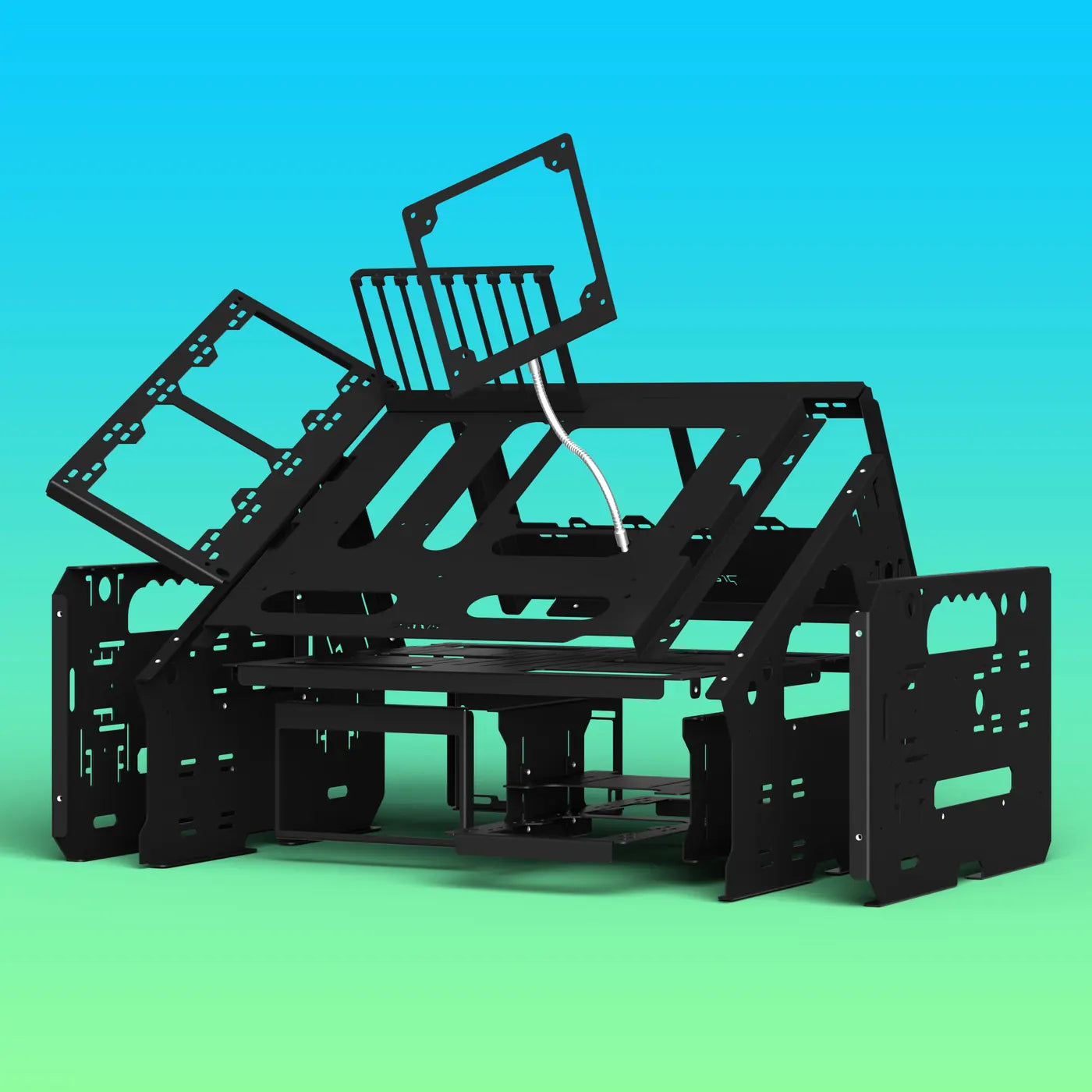
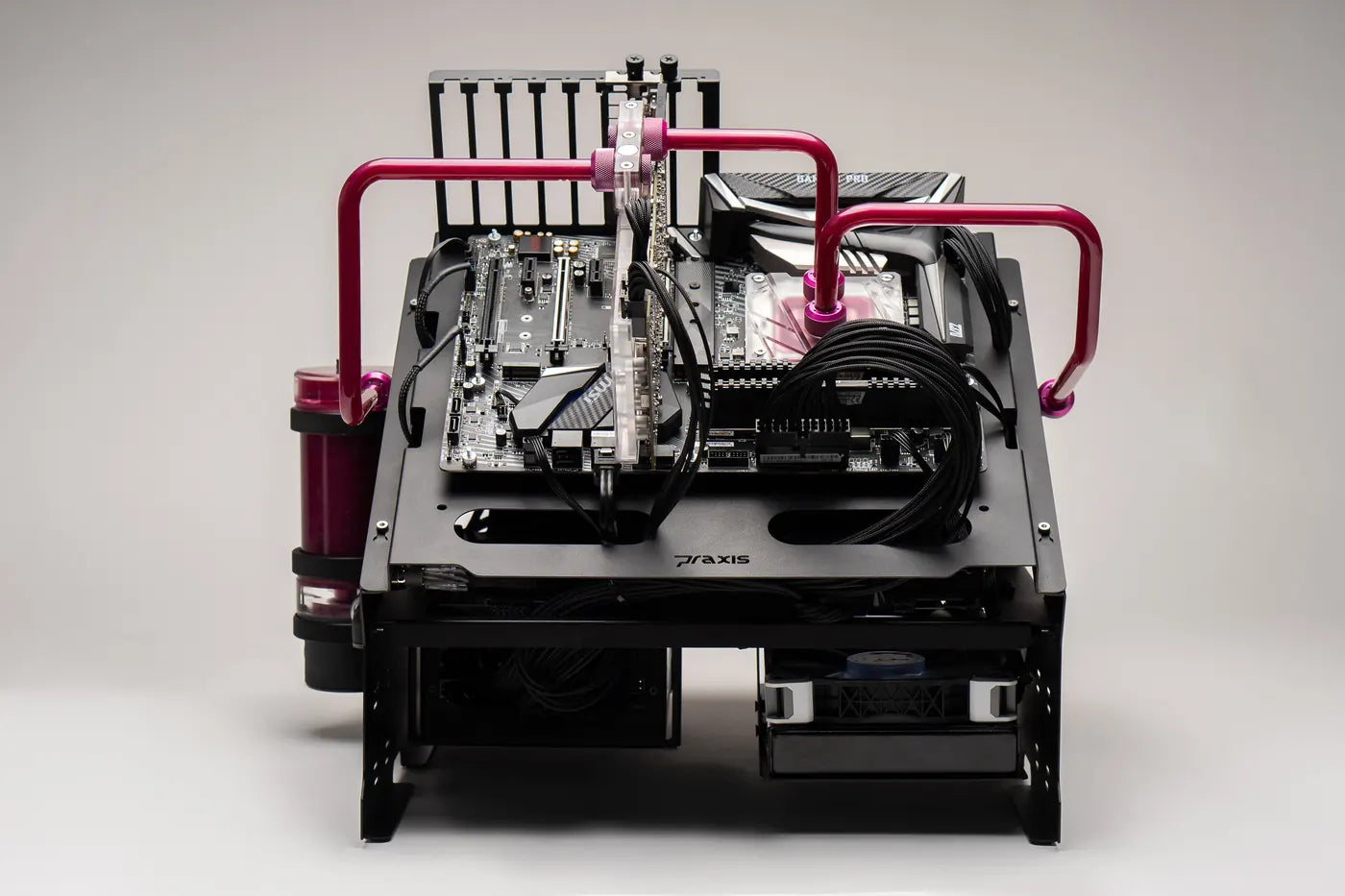
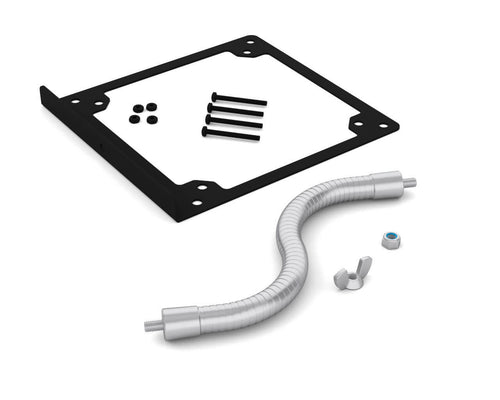
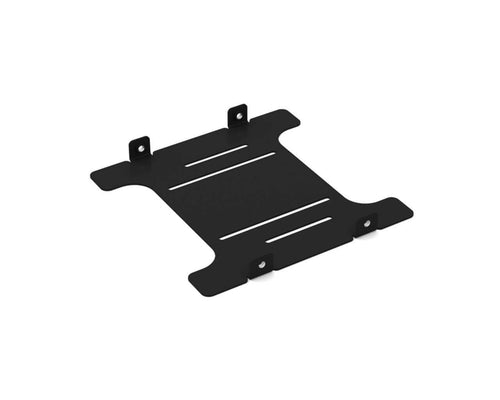
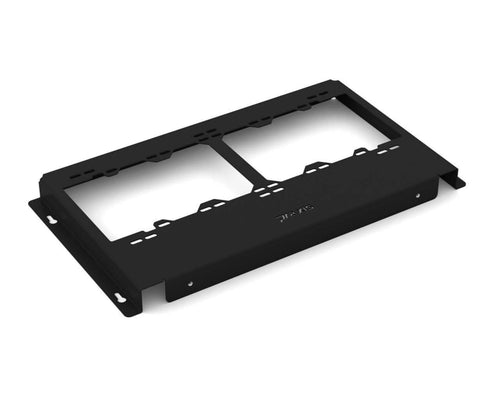
The WetbenchSX is PrimoChill's open test bench, built for water cooling: a powder-coated steel frame with room for up to four radiators, trays that slide off in seconds, and angled or flat legs. The Complete Edition is everything in one box: angled and flat legs, two AIO / radiator brackets, two fan arms, a bottom radiator bracket and an HDD bracket. Switch postures whenever the build calls for it.

Built for water cooling

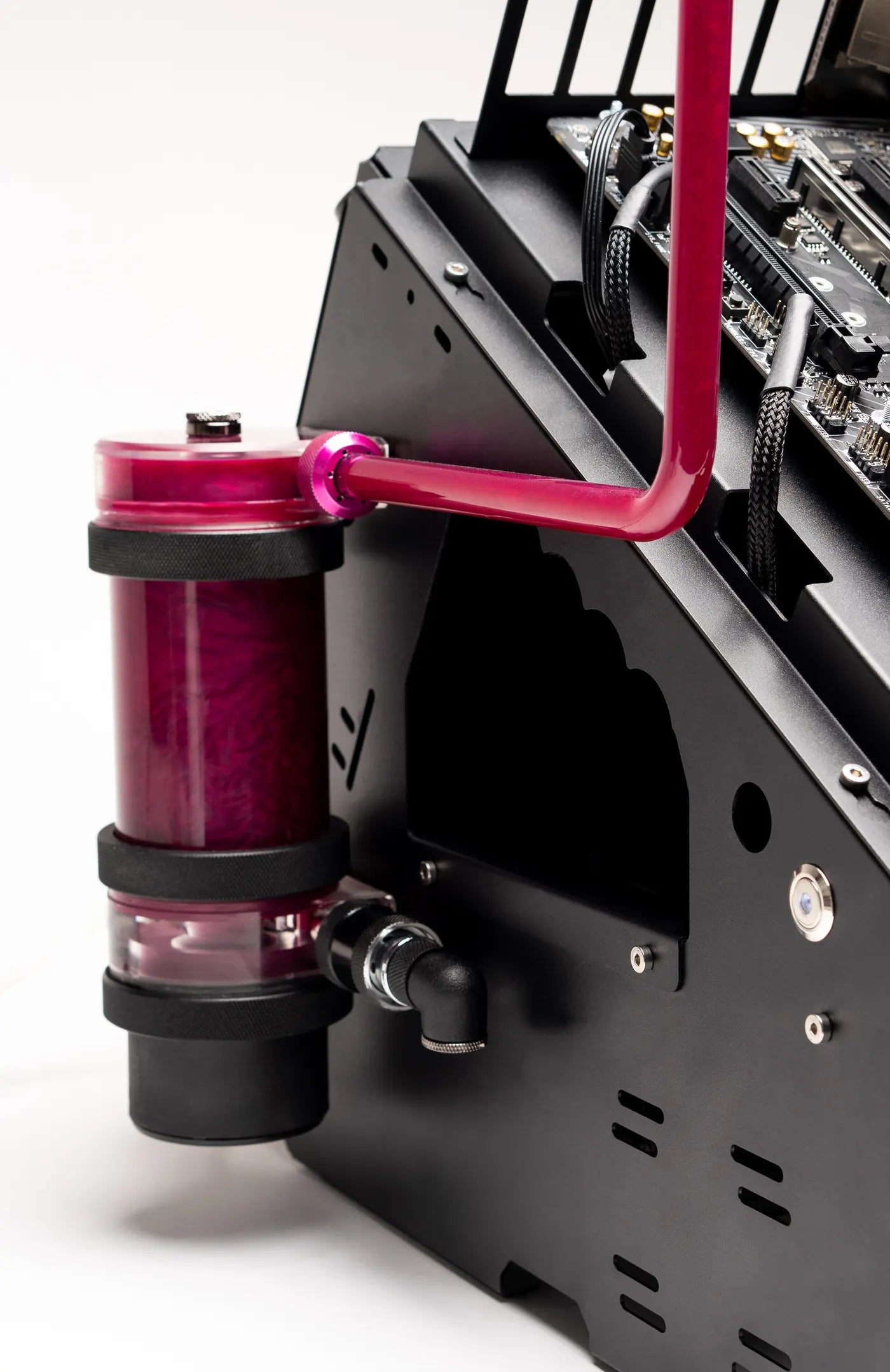
Up to four radiators, up to 480 or 560 mm, inside or outside the frame, with room for every PrimoChill reservoir.

Swap parts in seconds

The motherboard and radiator trays slide off under loose screws, so a hardware change never means a teardown.

Angled or flat

Angled puts the whole loop on show. Flat sits low and level for LN2 pots, chillers and long benchmark runs.

Modular brackets

AIO, drive, bay and fan brackets mount on the left or right and slide to where you need them.

Solid and quiet

Powder-coated steel, with anti-vibration pads for the feet, power supply and radiators in the box.

Fits a full build

mITX to eATX, an ATX power supply, up to six drives, two 5.25" bays and up to four 16 mm switches.

Angled or flat

Same bench, two leg sets. The Complete Edition ships with both, so you can switch whenever the build calls for it.

WetbenchSX angled edition with measurements

Angled Included

The board tilts toward you, so the whole loop is in view and every port is in reach. Four radiator positions. About 338 x 440 x 435 mm without the GPU bracket.

WetbenchSX flat edition with measurements

Flat Included

The board sits level and low, ready for LN2 pots, chillers and long benchmark sessions. Three radiator positions. About 338 x 385 x 250 mm without the GPU bracket.

Compare the editions

Every edition is the same steel bench. Pro adds the brackets for AIOs, a bottom radiator, drives and a fan. Complete adds both leg sets and doubles up on AIO brackets and fan arms.

Basicfrom $189.99 Profrom $219.99 Complete$299.99
Motherboard tray, mid tray, GPU bracket
Back radiator tray
PSU brackets and 5.25" bay brackets
Power and reset switches
LegsAngled or flatAngled or flatBoth sets
AIO / radiator bracket–12
Fan arm–12
Bottom radiator bracket–
HDD bracket–
AngledFlat AngledFlat Viewing

Room for real cooling

Built for water cooling first. Radiators mount inside or outside the frame, with no thickness limit on the back tray.

  • Back radiator tray: 120 to 240 mm or 140 to 280 mm inside the frame, up to 480 or 560 mm outside it.
  • Up to 4 radiators on the angled bench and 3 on the flat, with the add-on brackets.
  • AIO / radiator bracket: mounts on either side and takes up to a 480 mm radiator. AIOs with 13" tubes are tested, and a second bracket fits a second AIO.
  • Bottom radiator bracket: 240 or 280 mm under the board.
  • Every PrimoChill reservoir fits, with standard mounting patterns for other reservoirs.
Radiator mounted on the WetbenchSX AIO bracket
WetbenchSX modular parts

Built to swap parts fast

A test bench earns its keep on the tenth rebuild, not the first.

  • Slide-off trays: the motherboard tray and radiator tray slide under loose screws, so they come off in seconds with the loop still assembled.
  • Modular brackets: drive, bay and AIO brackets mount on the left or right and slide forward or back.
  • Quiet: anti-vibration pads for the feet, power supply and radiators are in the box.
  • Quick to build: powder-coated steel that goes together in minutes with one hex key.

Real builds

WetbenchSX with full custom loops. Tap any photo to see it full size.

WetbenchSX build photo 1WetbenchSX build photo 2WetbenchSX build photo 3WetbenchSX build photo 4WetbenchSX build photo 5WetbenchSX build photo 6WetbenchSX build photo 7WetbenchSX build photo 8

Installing your WetbenchSX

  1. Legs to the mid trayFour M4x6 low-head screws per side, with the mid tray overlapping the legs.
  2. Drives and power supplyMount drives on the mid tray with the nylon screws, fit the PSU bracket to the power supply and add the bay brackets.
  3. Standoffs and boardFit the 12 mm standoffs to match your board, secure it with the M3 nuts and add the GPU bracket.
  4. Slide on the board trayStart two M4x6 screws on each leg, slide the tray under them, then tighten or leave them loose for quick removal.
  5. Radiators and switchesSlide the radiator tray on at the back, add brackets on either side and wire the switches before mounting them.

Every bench ships with the hardware pack and a 2.5 mm hex key.

In the box
  • Motherboard tray
  • Mid tray
  • Angled legs, left and right
  • Flat legs, left and right
  • GPU bracket
  • Back radiator tray
  • Front PSU bracket, angled and flat
  • Back PSU bracket
  • 2x 5.25" bay brackets
  • 2x AIO / radiator brackets
  • Bottom radiator bracket
  • HDD bracket
  • 2x fan arms with fan brackets
  • 2x power / reset switches
  • Anti-vibration pads
  • Hardware pack with 2.5 mm hex key
Before you build
Read the full care and warranty details

Plan the standoffs. Fit the motherboard standoffs to match your board's layout before the board goes on, and hand-tighten the M3 nuts.

Test the switches first. Wire the vandal switches and test them before mounting them to the bench.

Radiator hardware. Use the screws that came with your radiator to mount it to the trays and brackets.

PrimoChill is not responsible for any hardware damage. Use at your own risk.

Datasheet
FramePowder-coated steel
ColorsBlack or white
Footprint, angled338 x 440 x 435 mm (L x W x H, without the GPU bracket)
Footprint, flat338 x 385 x 250 mm (L x W x H, without the GPU bracket; 410 mm wide with a second radiator tray)
MotherboardsmITX, mATX, ATX, eATX
Power supplyATX, up to 300 mm
Drives4 HDD or SSD, plus 2 more with the HDD bracket
5.25" bays2, fits a dual-bay reservoir
Back radiator tray120-240 mm or 140-280 mm inside, 120-480 mm or 140-560 mm outside, no thickness limit
Radiator positions4 angled, 3 flat
AIOsUp to 2 with 13" tubes, one per AIO bracket
Fan armOne 120 or 140 mm fan
SwitchesUp to four 16 mm vandal switches
SKUMWB2-C-BK

What buyers said

Left by people who bought this part here. Compatibility reports are the useful ones — if you installed it, say which board.

Customer Reviews

Based on 9 reviews
44%
(4)
56%
(5)
0%
(0)
0%
(0)
0%
(0)
T
Thomas B. (Columbia, US)
Exactly What I Wanted

First, this bench is not cheap. But for me it's worth the cost. I'm playing around more building computers and doing some trouble shooting as well. This is everything I wanted, and much more.
I received my Wetbench in perfect condition and finished putting it together in less than an hour. I added the PSU and an old SSD to a very old i7-3770 CPU and ASRock Z77 MB just to have something to put on it. Everything connected easily and is right where it needs to be.
This bench will be a big help when I start on my next build in a couple of weeks.
The quality is top notch. Every piece fit as expected and I didn't have any trouble following the instructions, but the build itself is quite intuitive.
I'm looking forward to using this for a long time.

J
Jacob L. (Bloomington, US)
Good but for the expensive price, you shouldn’t need to manually drill holes

It’s good but expensive. Since it’s as expensive as it is, you shouldn’t need to drill more holes for it to be able to fit the 2 included fan mounts if using a big motherboard (EATX, specifically the EVGA dark z690). The holes that are pre drilled are underneath the motherboard. Other than that it’s great, but I removed a star because of that.

M
Michael F. (Tucson, US)
Very good but needs modification

The GPU support bracket required cutting to accommodate a motherboard with a built-in io-shield. The screws supplied to attach the side radiator mounts where too short and needed to be replaced with longer ones. New mounting holes need to be drilled for the flexible fan arm if it is being used with an EATX motherboard. Also don't follow the wiring instructions for the Vandal switches for the power button or it will power down 5 seconds after it Powers up. A 360 mm radiator does not fit on the sides nor the back but can be attached to the bottom mount. Other than all that it's well built and looks really cool. Works really well if you're only using 240 or 280 mm radiators.

D
Dustin K.
Bada$$

Going to make swapping hardware a breeze and cut the tike down by a lot. However I did have to drill new holes for the fan arms. My mobo would not fit with the arms in the intended holes. Mobo is an evga x570 dark. Took only a couple mins to fix, no big deal at all. Would recommend you guys move the mounting holes for the fan arms 1.5 inches out. Or add a another set of holes for different mounting. Again no big deal at all.

C
Customer
Works great for my needs

Rig is a 11900K@5.2 all cores, EVGA Z590 Dark MB, EVGA 3090 Kingpin HydroCopper, 32GB Gskill 3600 CL 14 RAM running 4600 CL 18, There's a 280 rad mounted in back along with my D5 pump/res combo and a 360 rad on the right side. Both only 30mm thick. Great versatility as I'm always changing something. Temps are better than in my closed air case even without an additional 360 rad I used in the case. I could use it on the left side if I ever want to, but no need with the temps I'm seeing. Even managed to get my old school bluray drive and aquero nicely in the basement

Questions people ask about this bench

Answers specific to MWB2-C-BK. If yours isn't here, ask — we'd rather talk you out of the wrong part than sell you one.

What does this part fit?
Compatibility for this part is listed in the compatibility notes on this page. Parts like this are machined to a specific hardware layout, so send us your exact model and we will confirm it against part number MWB2-C-BK before you order.
Is it in stock, and when will it ship?
Yes — only 1 left in Boise, Idaho. Orders placed before 2:00 PM MST on a business day ship the same day — we do not ship weekends or US holidays. Overnight delivery is available at checkout.
Can I return it if it turns out not to fit?
Yes. Returns are accepted within 30 days and are easy to start in the support center. Unopened items can be returned for store credit with no restocking fee; other returns carry a restocking fee, higher for items that have been installed or used. So we would rather check the fit with you first: send us the model and we will check it against this part.
Who handles the warranty?
PrimoChill covers this part for 1 year. Every warranty claim is handled directly by our support team, so you deal with us from start to finish.
Is shipping free?
Yes — shipping is included at this price for addresses in the lower 48 US states.
Are printed instructions included?
No printed manual is included. Installation references are in the product gallery images, and the install guides on this site cover the process step by step.
Do I need anything else to use it?
Check the parts list above against what you already have. If you are building a loop from scratch, send us the full parts list and we will tell you what is missing before you order.

Ask us before you order

Send your exact hardware model and we'll confirm the right part before you spend $299.99 — or tell you honestly that this isn't the one.

Returns are accepted within 30 days and are easy to start in the support center. Unopened items can be returned for store credit with no restocking fee; other returns carry a restocking fee, higher for items that have been installed or used.

Ask about compatibility